Guide
PBR Texture Maps, Explained
A physically based material is a small stack of aligned images, each one carrying a single property of a surface: colour, direction, relief, coverage. Here's what each of the four maps Leafwork PBR produces actually encodes, and what to do with it once it's sitting in your engine.
What "PBR" Actually Means
Older texturing baked lighting straight into a photograph: a diffuse map with a shadow and a highlight already painted in, fixed to whatever angle the photo was shot at. Move the light in the scene and the fake shadow stays put.
Physically based rendering instead keeps a surface's properties separate, so the engine's own lighting can act on them correctly from any direction. A full PBR material commonly carries five or six of these: base colour, surface direction, relief, cutout coverage, roughness, and metalness. Leafwork's four maps cover the first four; roughness and metalness aren't part of what a photometric-stereo capture measures, so pair them with your engine's defaults or a manual pass.
The Four Maps, One at a Time
Illustrated with real output from the same oakleaf hydrangea capture shown start to finish on the showcase page.
-
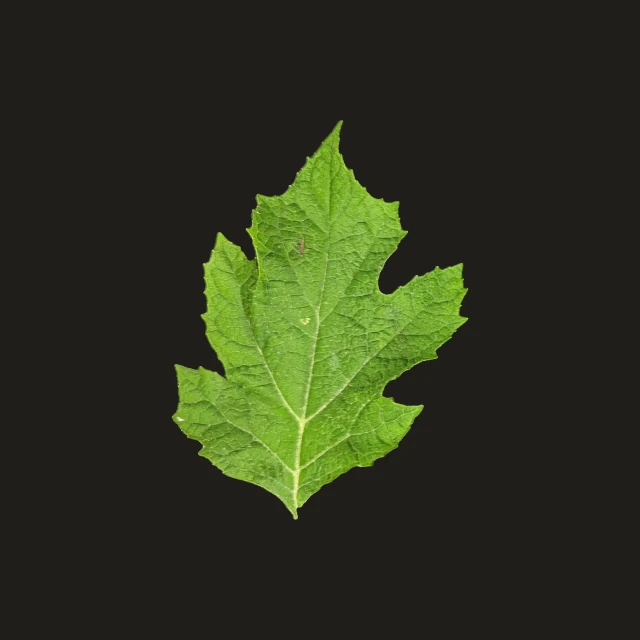
Albedo
Albedo is the surface's colour with every trace of the capture's lighting solved back out: no highlight, no cast shadow, no ambient tint. It feeds the base-colour (or diffuse) input on almost every shader.
Keep an eye on colour space. Most real-time renderers expect albedo as sRGB and decode it to linear before lighting is applied, while a normal or height map is sampled as linear data from the start. Mixing that up is a common cause of materials that look washed out, or too dark, despite being textured correctly.
-
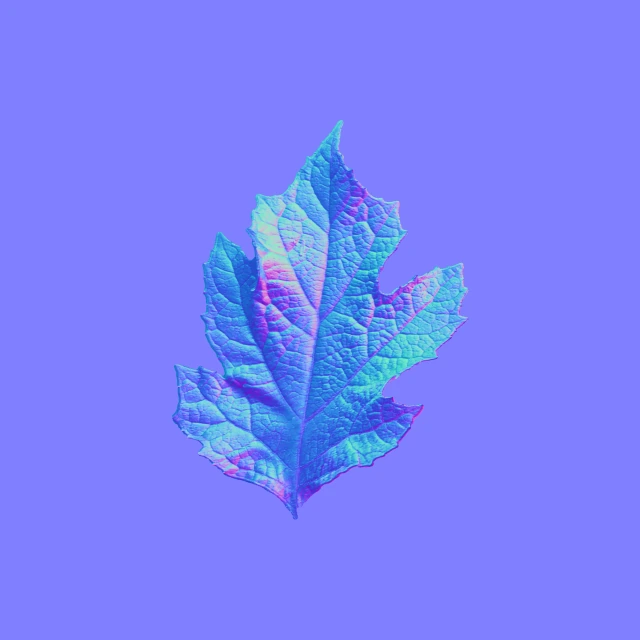
Normal
A normal map packs a direction into a colour: three components, X, Y, and Z, map to red, green, and blue, describing which way each point of the surface tilts relative to flat. It's what lets a plane catch light like a real, veined, ridged leaf, without adding a single extra polygon.
Engines don't all agree on the sign of the green channel: some treat it as pointing up the texture, others down. Import a normal map and the relief reads as pressed in rather than raised? That mismatch, not a bad capture, is almost always the cause. Most engines carry a green-channel-invert option for exactly this.
-
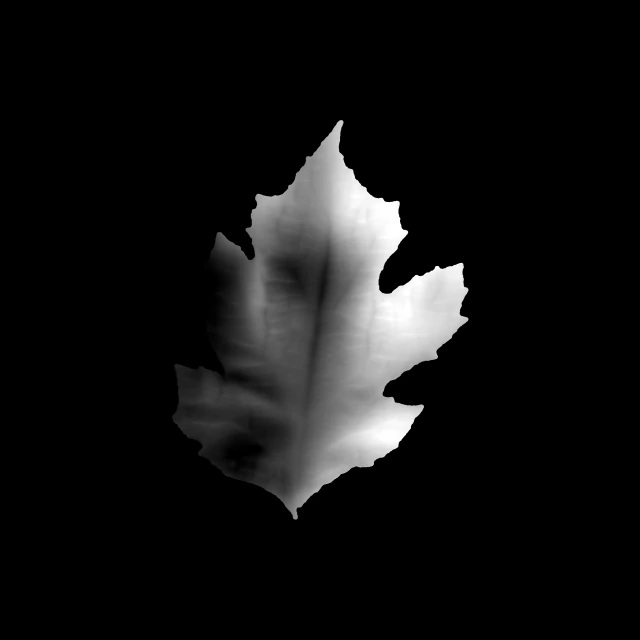
Height
Height is a single greyscale value per pixel: how far that point sits above or below the surface's average plane. It's derived by integrating the normal map, so it carries forward whatever the normal solve resolved; a soft capture gives a soft height map.
Feed it to a parallax input and the engine fakes depth by shifting texture coordinates per pixel: fast, and it needs no extra geometry, though the illusion breaks down at grazing viewing angles. Feed it to a true displacement input and the renderer moves real geometry, which holds up at any angle, but only pays off if the mesh underneath carries enough triangles to move.
-
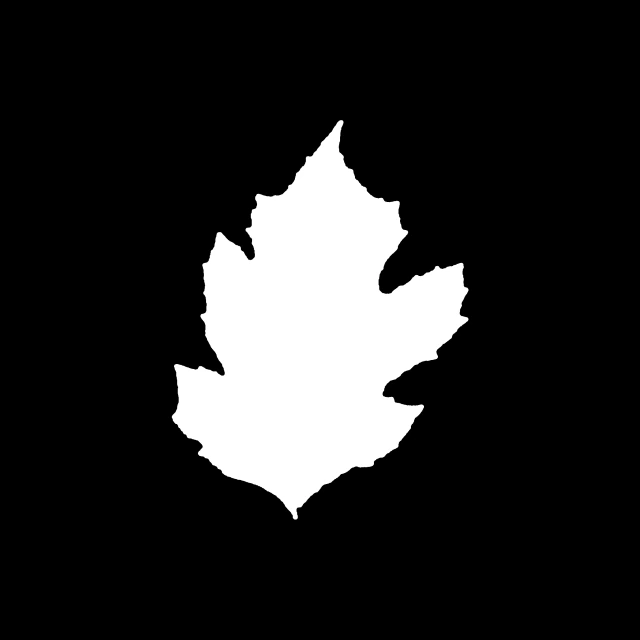
Opacity
Opacity is a black-and-white mask marking where the surface is and isn't; everything outside the leaf's silhouette reads as fully transparent. For foliage specifically, most engines offer two ways to use it: alpha cutout, which tests each pixel fully in or out at a threshold, or alpha blend, which allows soft, partial edges.
Cutout is the safer default for a field of leaves. Overlapping blended-alpha cards need to be drawn back-to-front to look right, and a moving camera makes that expensive to keep sorted. A single leaf close to the camera is often where the softer blended edge earns its cost.
See These Four Maps From an Actual Leaf
The showcase page walks through one real capture start to finish: the same four maps described above, produced from a single leaf photographed under four light directions.
Questions? support@leafwork.io