Worked Example
From One Real Leaf to Four PBR Maps
Every image on this page comes from one real capture, run through Leafwork PBR's photometric-stereo solver: a leaf, lit from four directions, resolved into four aligned maps. No renders, no stock photos. This is what the pipeline actually produces today.
The Capture
One desk, one fixed camera, four light directions.
-
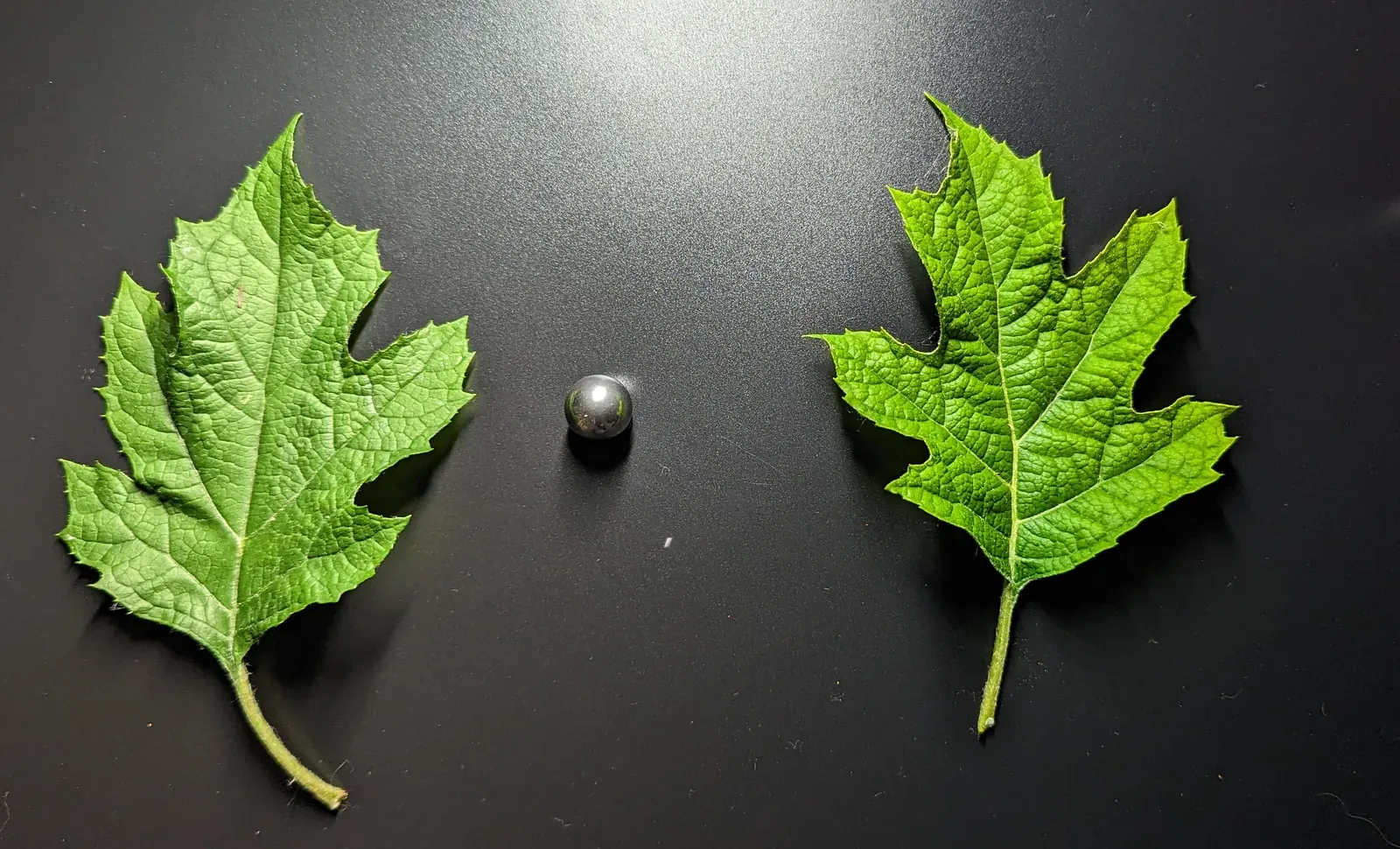 Top
Top -
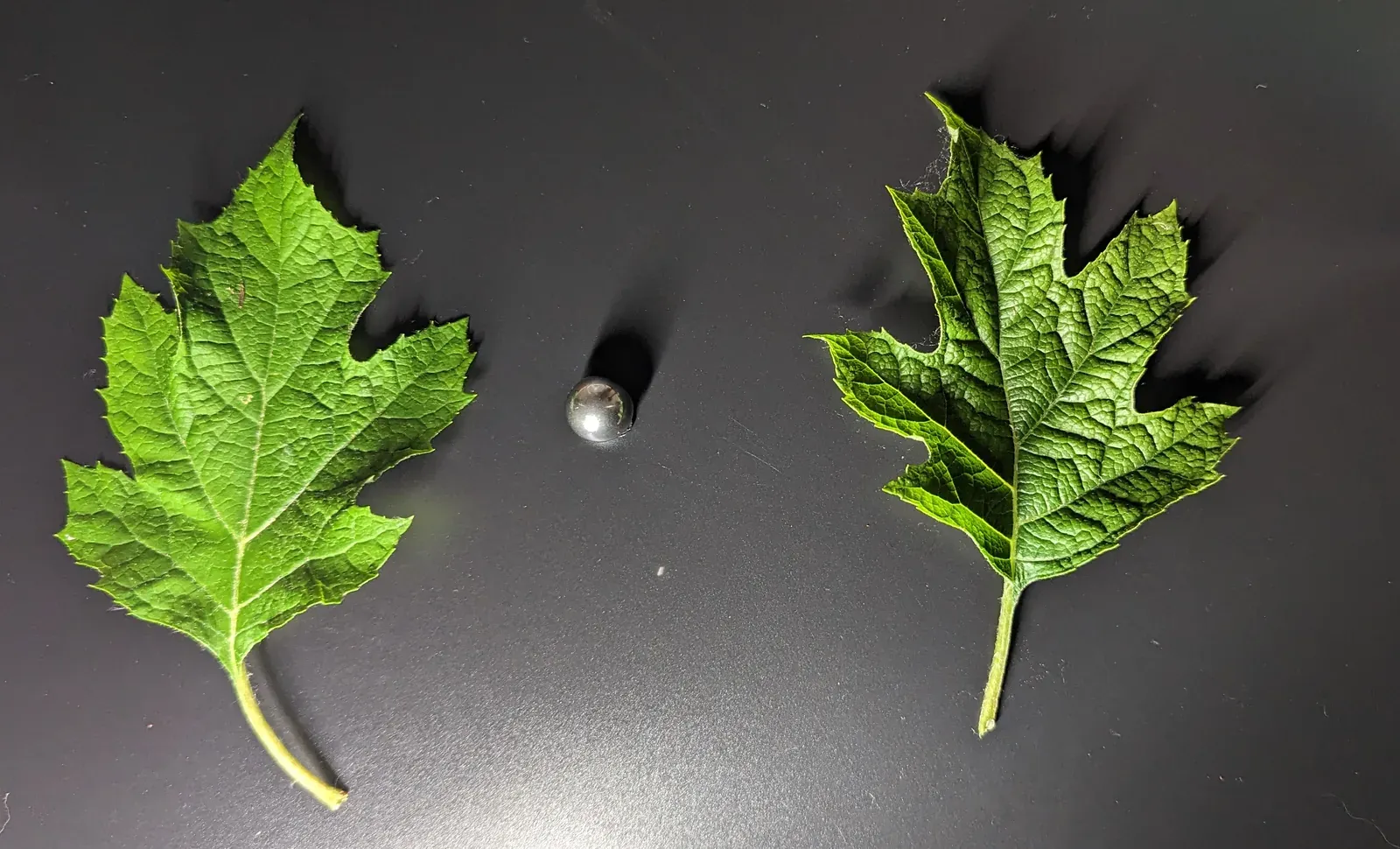 Bottom
 -
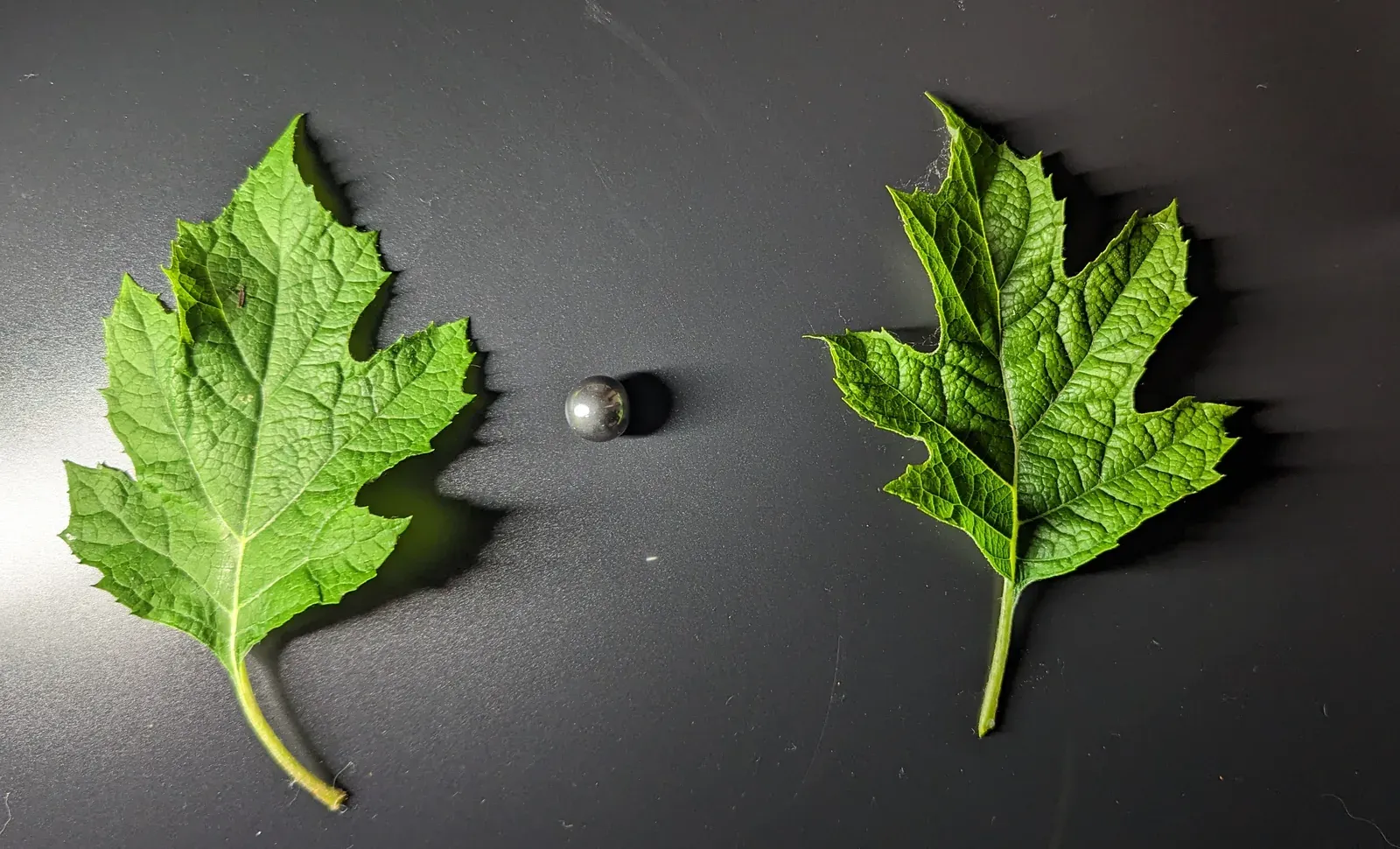 Left
Left -
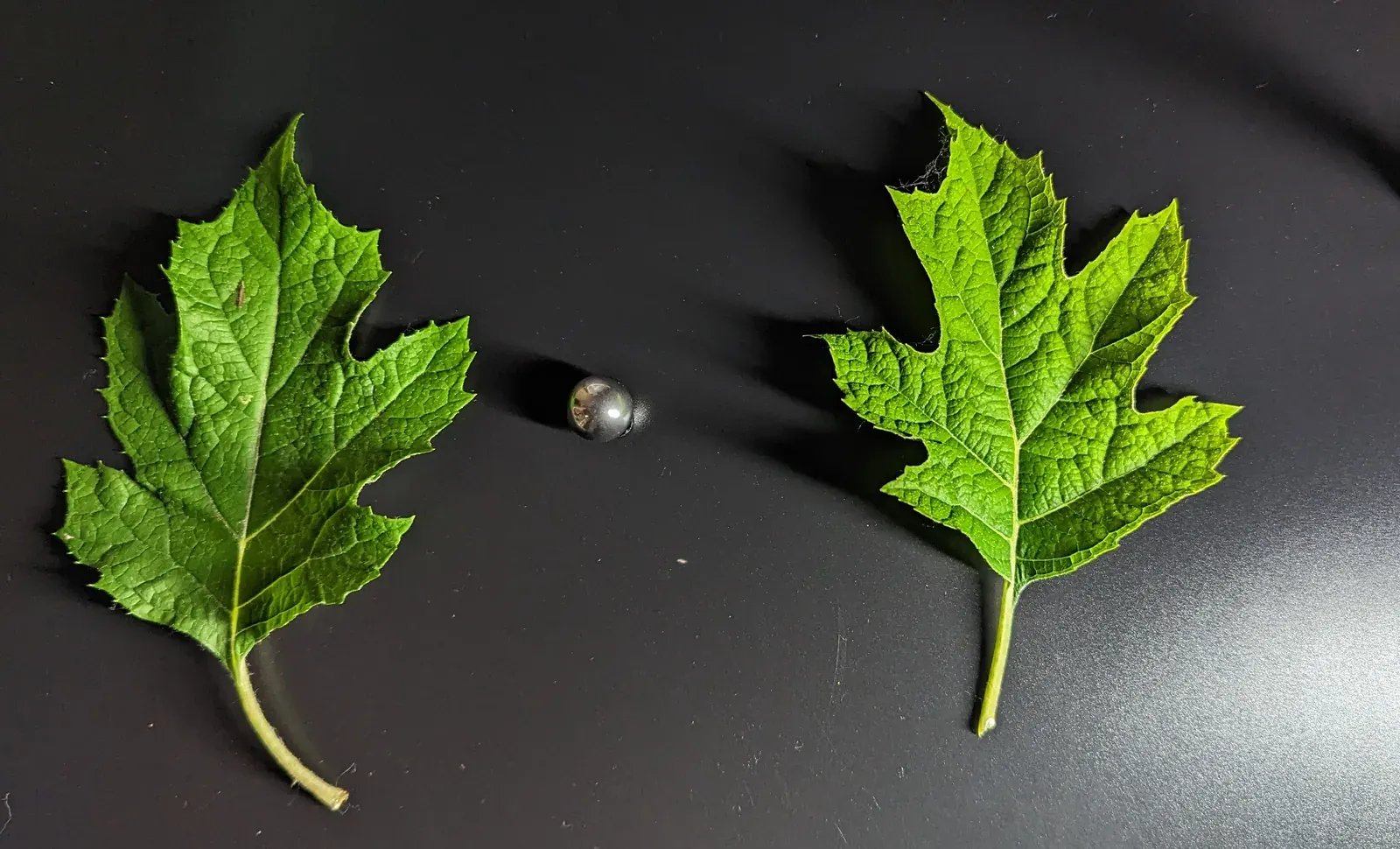 Right
Right
Two oakleaf hydrangea leaves and a small steel ball, laid on a dark desk and photographed four times: once with a flashlight held above, then below, to the left, and to the right. Camera position, focus, and exposure stayed fixed between shots; only the light moved. The maps below follow one of the two leaves all the way through the solve.
The ball is there so Leafwork can work out exactly where the light sat each time; the capture guide walks through setting one up for your own leaves.
Four Maps, One Leaf
From those four photos, Leafwork segments one leaf from the frame, aligns the exposures, and solves for how the light falls across its surface: brighter where the surface tilts toward a light, darker where it tilts away. The About page covers that photometric-stereo technique in full; the same comparison produces these same four maps every time.
-
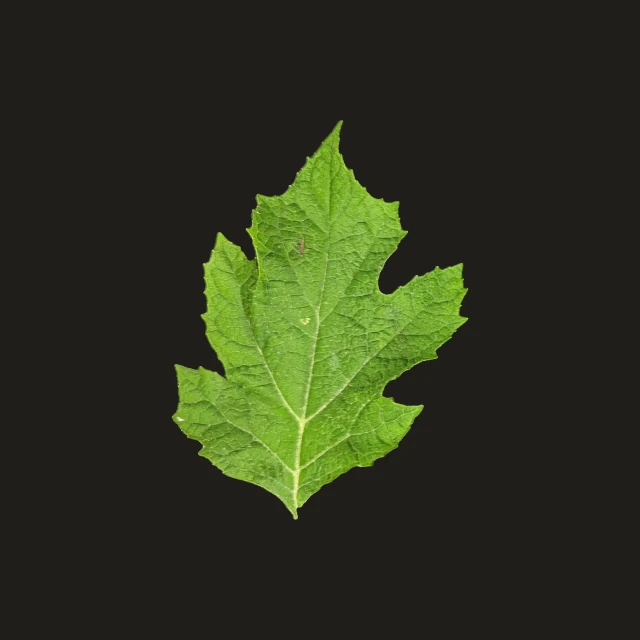
Albedo
The leaf's base colour, with every trace of the capture's lighting solved back out: no highlight, no cast shadow. It feeds the base-colour (or diffuse) input on most shaders. Of the four maps, it's the one that comes through cleanest. Recovering colour doesn't depend on the light-angle geometry that surface direction does.
-
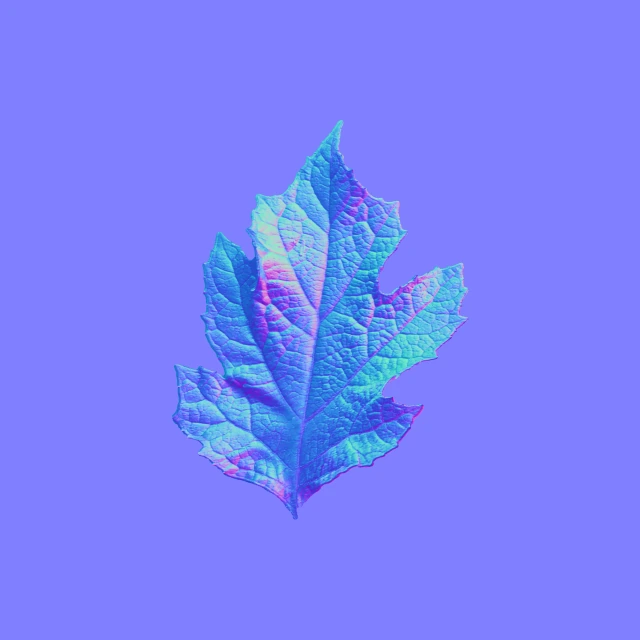
Normal
Which way each point of the leaf's surface faces, packed into colour and reconstructed by comparing how the four exposures brighten and dim across it. Every vein and serrated edge shows up here, so a flat plane catches light like the real leaf would. The capture behind it used four light directions at a single elevation, enough to recover the leaf's overall shape; read the fine detail as genuine tool output, not a lab-calibrated scan.
-
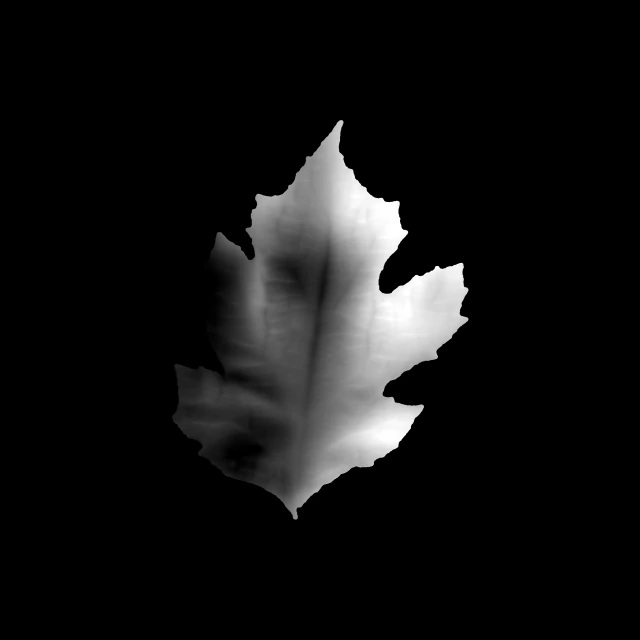
Height
A grayscale value per pixel: how far that point of the leaf sits above or below its average plane. Leafwork gets it by integrating the normal map above, so it inherits the same capture's resolution, and any of its softness. Feed it to a parallax or displacement input and a flat plane gains real relief: the midrib stands proud, the lobes recede toward their edges.
-
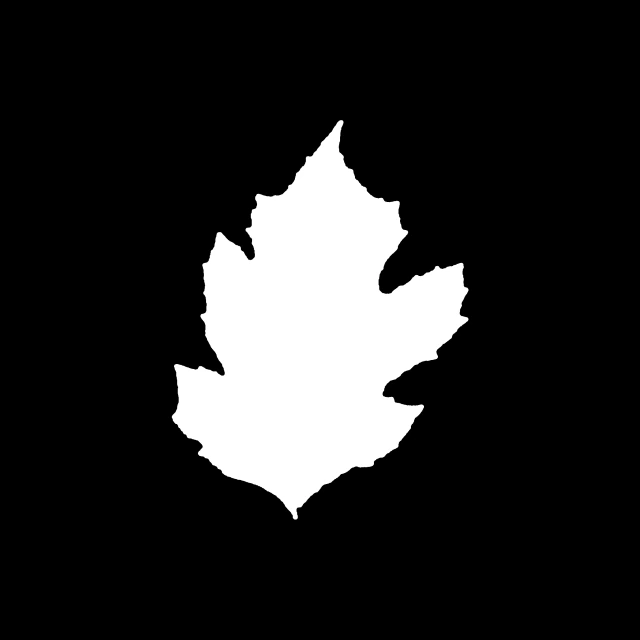
Opacity
A black-and-white cutout marking exactly where the leaf is, produced by segmenting it from the desk behind it. It's what keeps a material's edges clean, instead of showing a leaf-shaped photo pasted on a rectangle. Like albedo, opacity comes through as sharp as the source photos. Segmentation doesn't depend on the light-direction geometry that normal and height do.
These four maps are the same files a Blender or Substance Sampler export hands you today, on the free tier. Pro adds channel-packed presets for Unreal Engine 5, Unity URP, SpeedTree, and Skyrim / Bethesda titles. See the full export lineup →
Now Try It on a Leaf of Your Own
The free tier is permanent: no account, no trial clock. Capture a leaf from your own garden and run it through the same pipeline.
Questions? support@leafwork.io